
Hate. Let me tell you how much I've come to hate NVIDIA since I installed Linux.
There are thirty five trillion microscopic cells layered in complex organic structures that fill my body. If the word ‘hate’ were engraved on each molecule of those many tens of trillions of cells, it would not equal one one-BILLIONTH of the HATE I feel for NVIDIA at this micro-instant. For Jansen. Hate! HATE!!
Yes, this is how bad things are on this third part of the series, enough to understand well a certain villain’s hatred, because you never hate NVIDIA enough! It was so bad this part of the series was supposed to be released on december 2025 - and look a the current date!
Installing Linux? Easy! Making a very specific drawing Windows-only software work along a drawing tablet on Linux? A little journey of suffering, to the point of requiring a Digital Clanker (Virtual Machine) at the end of the day. But configuring a NVIDIA 1050 laptop for gaming?
Don’t toy with me, miss Steam
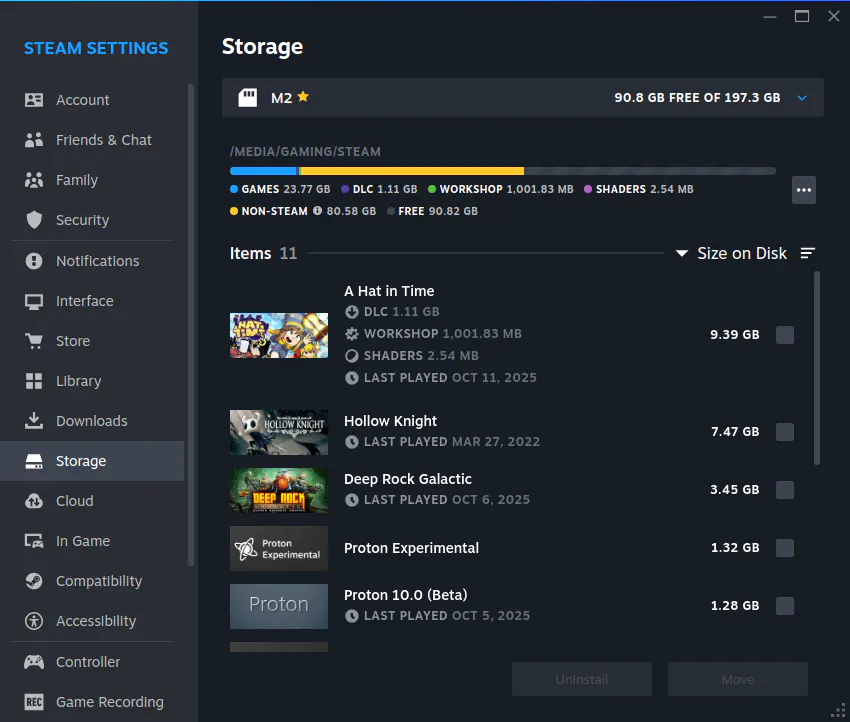
Before anything else is said after this image: ROCK AND STONE, BROTHER! The print is of my own Steam Storage page, only for an example of what I’ll be talking about.
Let’s start from the beginning. It was surprising seeing by how little RAM my friends PC has, only 8GB, it’s like he was taking Mint-chan to live with him in a tiny “studio” apartment – which is kinda fitting, since he is an artist and his PC happens to be a laptop. But a nice surprise came right after: the second storage drive in his PC is a SSD with lots of room for data, that he intends to use only for games – like a huge garage for a tiny apartment.
Formatting the SSD with the Disks application was super easy, but the first problem of this part of the story comes with a skill-issue from my part: forgetting to setup the drive to be automatically mounted at boot. Behold: my clown certificate was upgraded to gold level! Not noticing this huge mistake, we added a new Library Folder on Steam in the SSD and he installed the game we played the most since 2020: Warframe, with every byte in its 50GB of download size.
The problems running the game will be on another section, where my sanity almost went down the drain, but for now comes how Steam played us atop of my skill-issue: after restarting the pc, Warframe appeared as not installed – because the SSD drive was not mounted. Of course I would not ask my friend to open the SSD every time before opening Steam, that would be imbecile, so we went back at Disks and changed this drive to mount automatically at boot.
But Steam-san was not done with her bullying, the game still appeared not installed – because the path to the SSD now was different. Fair enough, we added the Library Folder back with the new path … and it got more ridiculous: now Steam did not recognize that path as a Library Folder and said everything there was non-Steam data! Half an hour of research shown another little mistake: the SSD must be mounted with the “exec” option to work properly with Steam, because she needs to run scripts on each Library Folder.
“Wait a minute, how the hell did you not notice this with years of experience gaming on Linux?”, you may ask. Because of the difference in how I install Linux for myself and how I helped my friend to install for himself. To set up my own PC I always go for manual partitioning, setting which partitions I’ll be using and their mount points before installing the system – which already set the permissions correctly for everything. For my friend we went with the automatic partitioning of Linux Mint installer, and Mint-chan won’t even touch other storage devices besides the one you told her to use. So, configuring the SSD after installing the system was something new to me.
Return of Acer-san
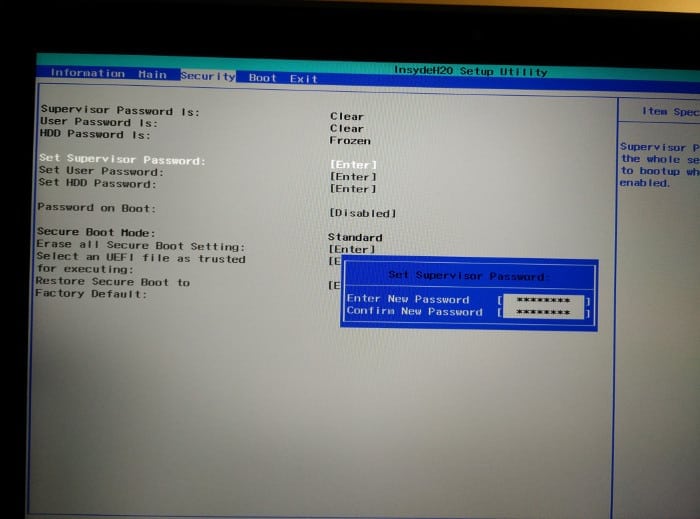
Did you miss the old Acer-san from the first part? He’s back!
As mentioned before, one of the specs of my friend’s laptop is an NVIDIA graphics card, and when researching problems (after they already happened) I found that having Secure Boot enabled on your PC’s BIOS may prevent the proprietary NVIDIA drivers from loading at all. Why? As I often say when talking about game companies being shitty for their costumers, imagine the CEO looking at your eyes and saying: because f--k you.
This is where Acer treats you like an idiot: you cannot just disable secure boot in Acer laptops, you first need to set a Supervisor Password for the option to be available in the BIOS. Why? You already know, just imagine that CEO again. Somehow Acer-san really thinks we are stupid, and was expecting to have some fun by confusing us, but this time we were prepared so he did not troll us a second time.
NGREEDIA Must Die
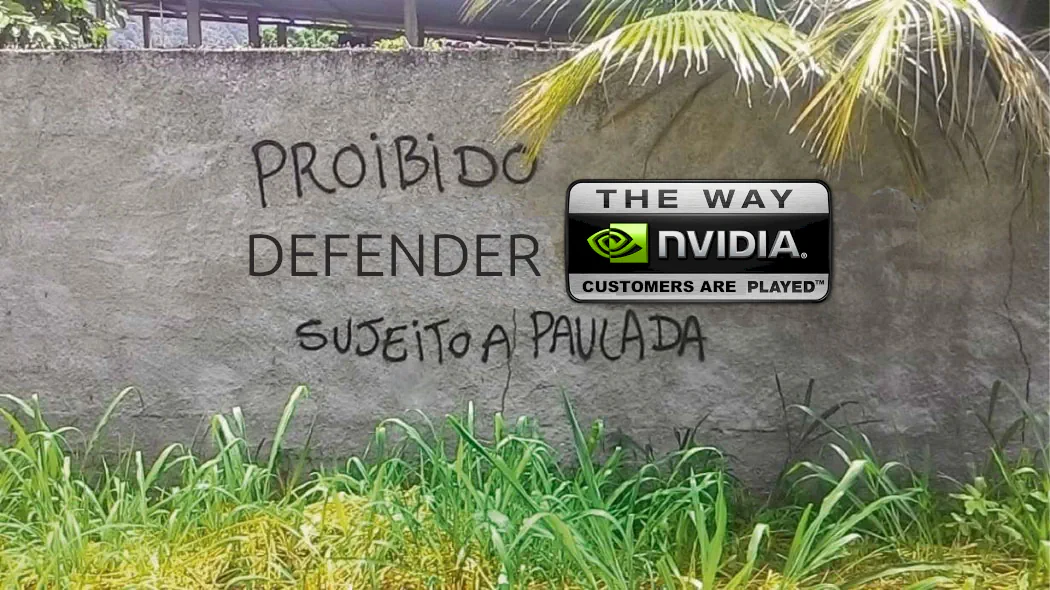
As the Jester says to Dante in Devil May Cry 3: Welcome to Hell! This is where NVIDIA’s shitty Linux support is the main dish, seasoned with fresh doses of Cosmic Bad-Luck from this tired programmer and an artist that has the Universe itself against him. That’s why Cthulhu is at the banner image of this article, the stress we were submitted to was incomprehensible.
Mint-chan tried her best by not only providing us a complete Installation Guide but also displaying a Welcome Window to remind everything that can be done to set up the pc after installing her. One of the items on the list was installing NVIDIA Proprietary Drivers to have a better performance in games, and so did my friend – without even needing help for this.
Performance?!
A Linux distribution where things “just work” out of the box and the drivers for performance already installed, everything seemed good to go. After installing Warframe on Steam, he opened the game, that was already with the settings he always used, and was met with incredible 8FPS. Eight Frames Per Second! Pardon my french, but WHAT THE FUCK NVIDIA?
My first guess was that the Proprietary Drivers were not loaded for such an awful performance on a PC that always played at 60FPS on Windows. So we disabled Secure Boot at the BIOS, went for another test and … nothing changed! Setting the graphics to minimum at the game raised the FPS up to 15, totally unplayable.
Juggling Drivers
Looking at a big tutorial in Linux Mint forums, we went for the second attempt: blacklisting the open-source Nouveau drivers (reverse engineered from Proprietary), to force the system to use the NVIDIA ones. Nothing changed, again. Running commands on terminal we noticed that the drivers was loaded, so must be something else.
Then another idea came into play, because of another tread in Mint’s Forums: using a more recent version (570) of the driver than the one recommended in the system (550). Guess what happened? Nothing changed, of course! At this point we were already trying to use custom Launch Options in Steam, with no luck at all. Until a certain “miracle” happened: the latest available version of the drivers (580) seemed to work, the game was running at 60FPS … until the whole PC crashed in less than two minutes.
We then tried to downgrade back to the second most recent version (570), and had a similar result but even worse: the whole PC crashed while the game was still loading! Searching what could be happened, someone on Linux Mint forum pointed out to a step I skipped on the big tutorial thread: adding a certain Kernel parameter on the system boot-loader configuration – something completely unnecessary in my AMD laptop. We added the parameter for the Kernel and … this time only the game crashed, not the whole system. The only progress up this this point was in my clown certificate, now at platinum grade.
We played a bit more with Launch Options on Steam, with no success after lots of attempts, and decided to play safe: reverting back to the recommended version (550) of the drivers to be sure the problem was not some conflict of the drivers with the hardware. Just after doing this decision, I found that Linux Mint already has Feral Game-Mode installed by default, so we included it in our tests … and nothing changed, the performance on recommended drivers was still shit.
Planned Obsolescence
Searching why the hell all of this could be happening, my hatred for NVIDIA grew with one important information: beginning with the 570 drivers, they started to make a new set of “open” drivers for the most recent families of GPUs, that has icompatibilities with older models – like the RTX 1050 card on my friends laptop. Was that the reason for the crashes? Probably not, but the "stop being poor, buy new hardware" was obvious.
Update: GPUs from the series 750, 900 and 1000 are incompatible with the new drivers the 580 version.
One thing you might be wondering: why didn't the open-source community get the Nouveau driver on par with the proprietary after so long? Remember the title of this section, "planned obsolescence"? The series 750, 900 and 1000 use a proprietary firmware on the GPU that cannot work without Nvidia's signed drivers, intentionally limiting the performance for anyone that does not use their drivers!
This year, 2026, NGreedia just abandoned support for those GPUs without giving any way for the community to improve the open-source driver. So if you are unlucky enough to own one of those hardware pieces cursed by the manufacturer, your choices are:
- Try your luck with outdated (and vibe-coded) proprietary drivers
- Suffer with bad performance
- Buy new hardware
Comically I was going to add on this list the option "flush your dignity down the toiled and return do Windows", but during our research we discovered the same problems were also happening on the MicroSlop spyware system - by the glory of vibe-coding drivers!
False Hope
At this point, I mentioned one thing my friend was already willing to test: installing GE-Proton instead of relying on the outdated versions provided by Steam, and so we did – following a certain tutorial. Using the same GE-Proton version I use myself, 10.21, for testing … we got 15FPS, again. Since nothing was making sense, we tried to use a standard version of Proton provided by Steam, 10.02 (beta), and … flawless 60FPS on the first try, the first time in my life a Beta was the best choice.
I helped my friend to tune the Video settings, but it was not over: now the game was crashing after 40 minutes – and crashing the whole system this time. Searching what could be causing it, we found a Launch Option that didn’t seem to happen, until a Reddit thread of another game showed us a culprit: a memory-leak in DirectX 12 translation for Linux on NVIDIA.
Lucky for us, and contrary to Horizon: Zero Dawn, Warframe allows us to use DirectX 11 instead of the messed up higher version. And so we did, by changing an option in the launcher, and … no crashes after more than an hour and a half playing together!
Cosmic Bad-Luck

I don’t blame you for thinking this could have been a good ending to the story, I committed this mistake as well. Underestimating the Cosmic Bad-Luck made us pay a price beyond comprehension with Cthulhu's final card upon his sleeve: the madness, nothing making any sense anymore.
In less than a week after part 2 of this saga was released, Warframe started crashing for my friend again – with no change of settings, update on the PC or anything. We dug deeper to find people having the same problem and spent several days of the last month making tests – where things sometimes were stable for a very long time and other times crashes happened in less than five minutes.
To make things even less rational, when we tried using logs in Proton to find what happened … not only the log was interrupted just before the game crashed, but neither me or my friend could even understand what the hell was there anyway. More Launch Options were tried, switching DirectX version, using windowed mode, and everything we could think or research – but nothing really fixed the problem. With all improvements we could make over research and tinkering, every time he launched the game was a race against an invisible clock for unavoidable crashes.
A new Hope?
After months of the NGreedia curse afflicting us, one accident gave a new idea. Reading the weekly Linux news from Fossery Tech, one of the articles mentioned Proton-Sarek: a version of the gaming compatibility layer specifically made fr older GPUs.
Some research later I found a way for my friend to try it. The same program we used to download custom Proton versions on Steam, ProtonUpQt, also ships builds of the project the incorporated the tech from Proton-Sarek: Proton-CachyOS. I had some hesitation, since CachyOS is an Arch-Linux derived distro, but at the point we already were ... why not?
The new compatibility layer helped to make the game less unstable overall, but sometimes forced updates on the game from the Digital Extremes made things more unstable again out of nowhere. Gotta love live-service games, huh? Now instead of being an inevitable outcome, it became a dice-roll to see if the game was going to run stable or crash randomly, a situation so frustrating my friend was already looking into getting another PC to give a middle finger to NGreedia.
As the months passed on, two new things helped a lot with stability and performance:
- The NT-Sync kernel driver being available in Linux Mint
- Proton 11 beta and it's CachyOS fork
One of the last updates in Warframe also made the game more stable on older GPUs, but from experience this is not the most reliable source of improvements on the issue.
Conclusion
It’s not a sweet end after all our struggles, but my friend can finally both do his art and (some) gaming on Linux – with a laptop from 2015 cursed by NGreedia! Even if you disconsider the GPU nightmare, this was a far harder journey than what most people would ever face switching to Linux. And I must emphasize how much my expectations for this migration were shattered one after the other:
- The planned 2 days installation became almost a whole week
- Troubleshooting lasted months because of NGreedia
- Running Clip Studio on Linux solved nothing
- Getting a VM running for Clanker 10 took a whole day instead of 1-2 hours
- We did more reboots on this migration than I do in a month on my PC
- Gaming was supposed to be one of the easiest parts
But the most important expectation came true and still makes me proud: before troubleshooting more insane stuff, I was mostly on the backseat watching my friend quickly learn and adapt to things on the fly – without previous knowledge or huge technical background. Where it came to troubleshooting, his calm and patient posture helped a lot to solve most problems life threw at us.
This skill to deal with difficult situations shows me he’ll be fine here on the Minty side of Linux, specially since he sometimes pulls unexpected tricks out of nowhere (like changing the colors of folders while restoring backups, to know which ones were already restored).
As for me ... I seriously need a break from this for a while! If you are a fellow Deep Rock Galactic player, I’ll see you in the mines! If you are not there yet, come to the mining side brother - there are hot single dwarfs in your area!